

There is no question that Generative AI is transforming how legal professionals draft legal documents and perform legal research, but it comes with a well-documented risk: AI hallucinations.
Off the shelf, large language models (LLMs) sometimes invent real-sounding case citations that are actually fake, or attribute legal holdings to wrong cases.
For attorneys, relying on unverified and erroneous AI output can be a professional liability leading to potential sanctions and public embarrassment. When AI hallucinates case citations, it also feeds distrust of AI and inhibits adoption.
To address such concerns, we are excited to announce that CourtListener is now available on Certera. It can be enabled as a connector to enhance legal research prompts, or when not enabled as a connector, users are asked if they want to check case cites when an LLM returns a response to a user’s prompt containing a citation to legal authority. Finally, users can use the CourtListener in newly added workflows, like our legal brief citation checker.
What is CourtListener?
CourtListener is a legal research platform from the Free Law Project. It aggregates court opinions, oral arguments, and legal documents from federal and state courts in the United States. By making this legal data freely available to the public, journalists, and researchers, the Free Law Project’s mission is to make the legal ecosystem more equitable through technology and open data.
How Does CourtListener Work With Certera.AI?
As a connector
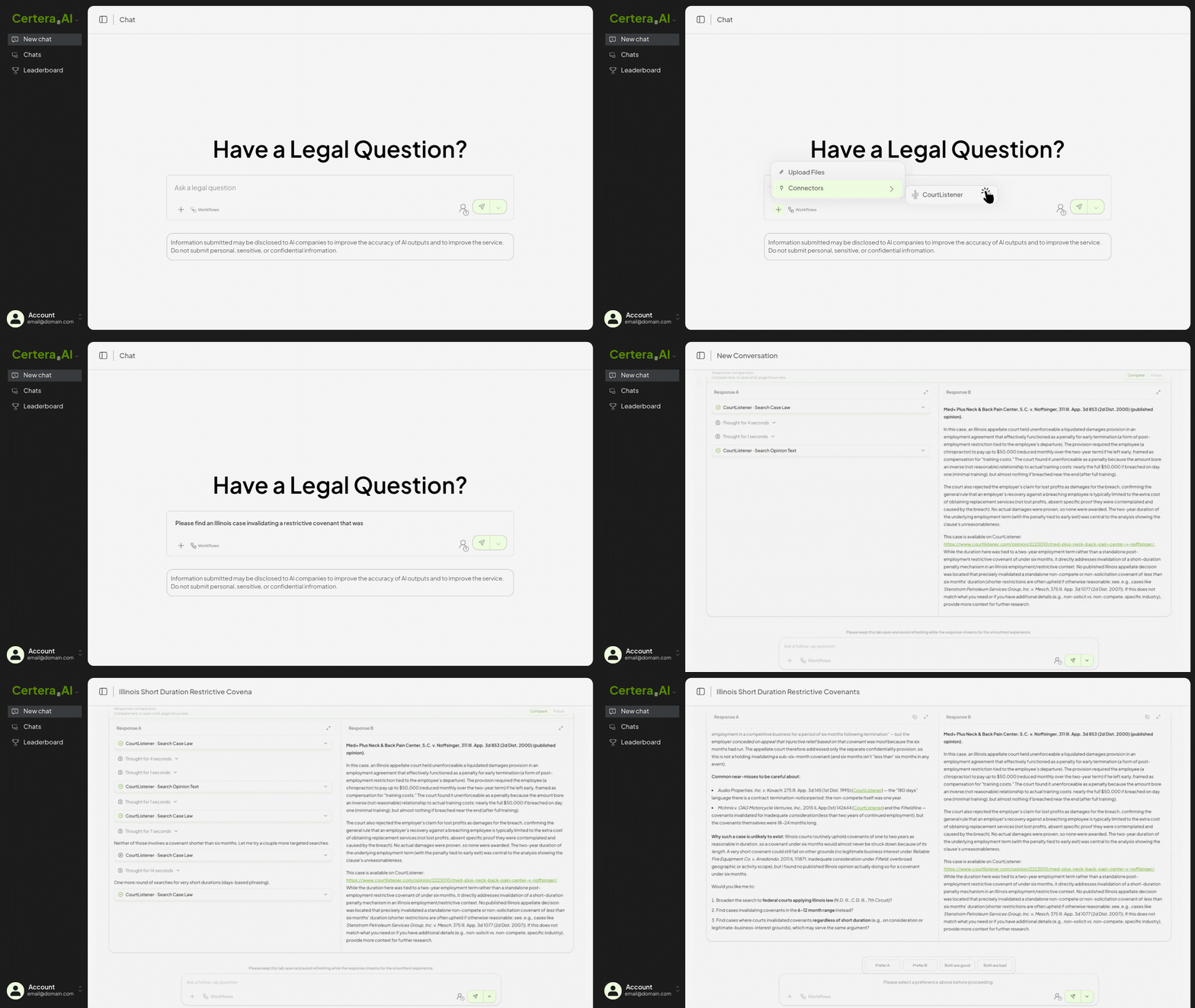
Prior to prompting, CourtListener can be enabled as a connector on Certera. When enabled, the AI models prompted directly access CourtListener's extensive database of legal opinions and dockets when prompted via the chat interface. When a user enters a legal research prompt with the CourtListener connector enabled, it permits the AI to fetch real-time case data and seamlessly incorporate primary legal sources into the LLM response. This is important, because depending on the LLM and how it decides to respond, it may not have updated access to new legal authorities. If a case was decided after the model’s last training date, there is a chance that the model will not know about it or look for it.
As a Cite Checker
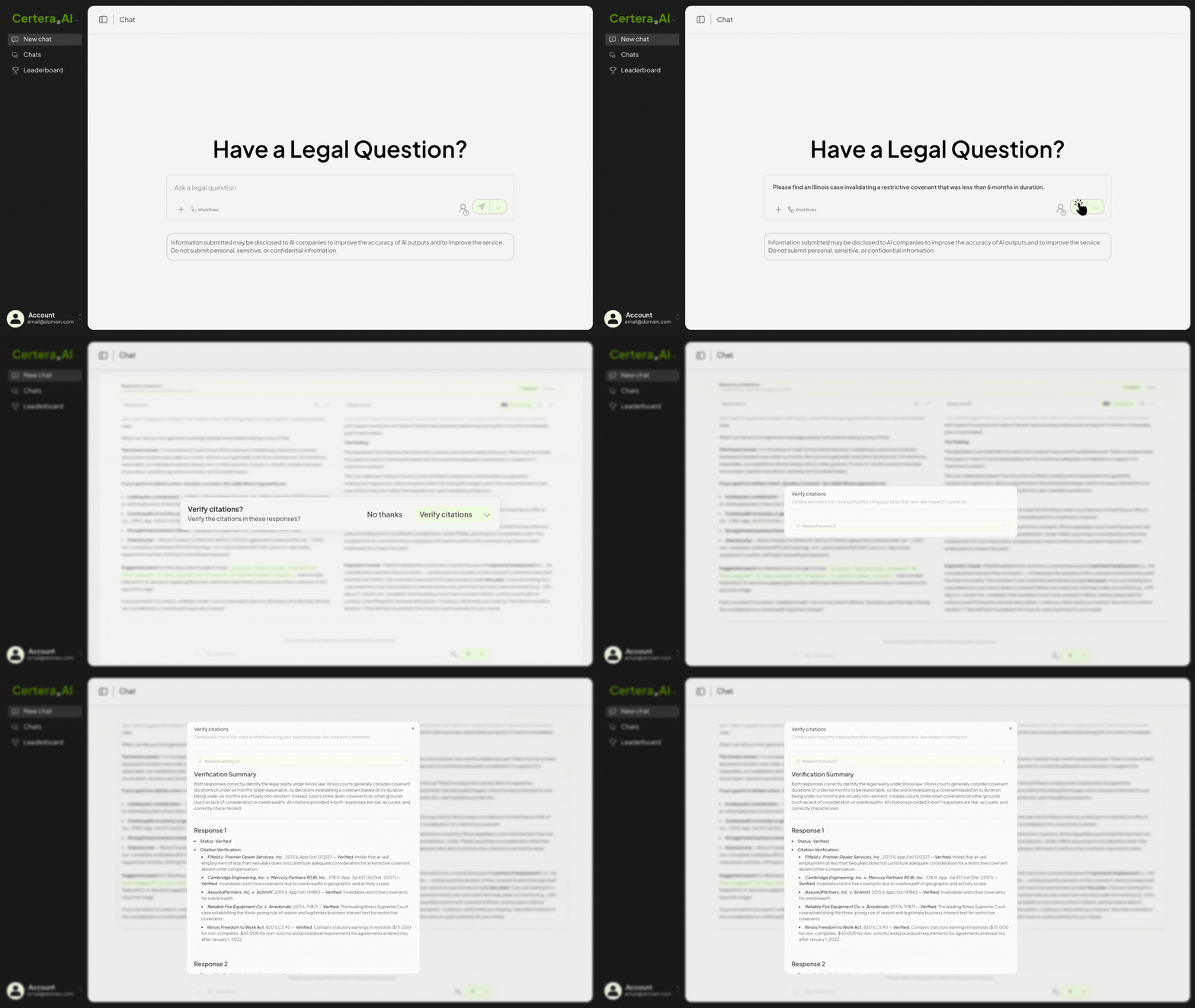
When CourtListener is not enabled as a connector, if the LLM response to the query returns a legal citation, the user is prompted to use CourtListener to check the cites in the answer. Certera will then check the cited authorities against the CourtListener databases and confirm that the citations are verified or alert the users if the LLM’s hallucinated a legal citation.
In a Pre-Built Legal Workflow
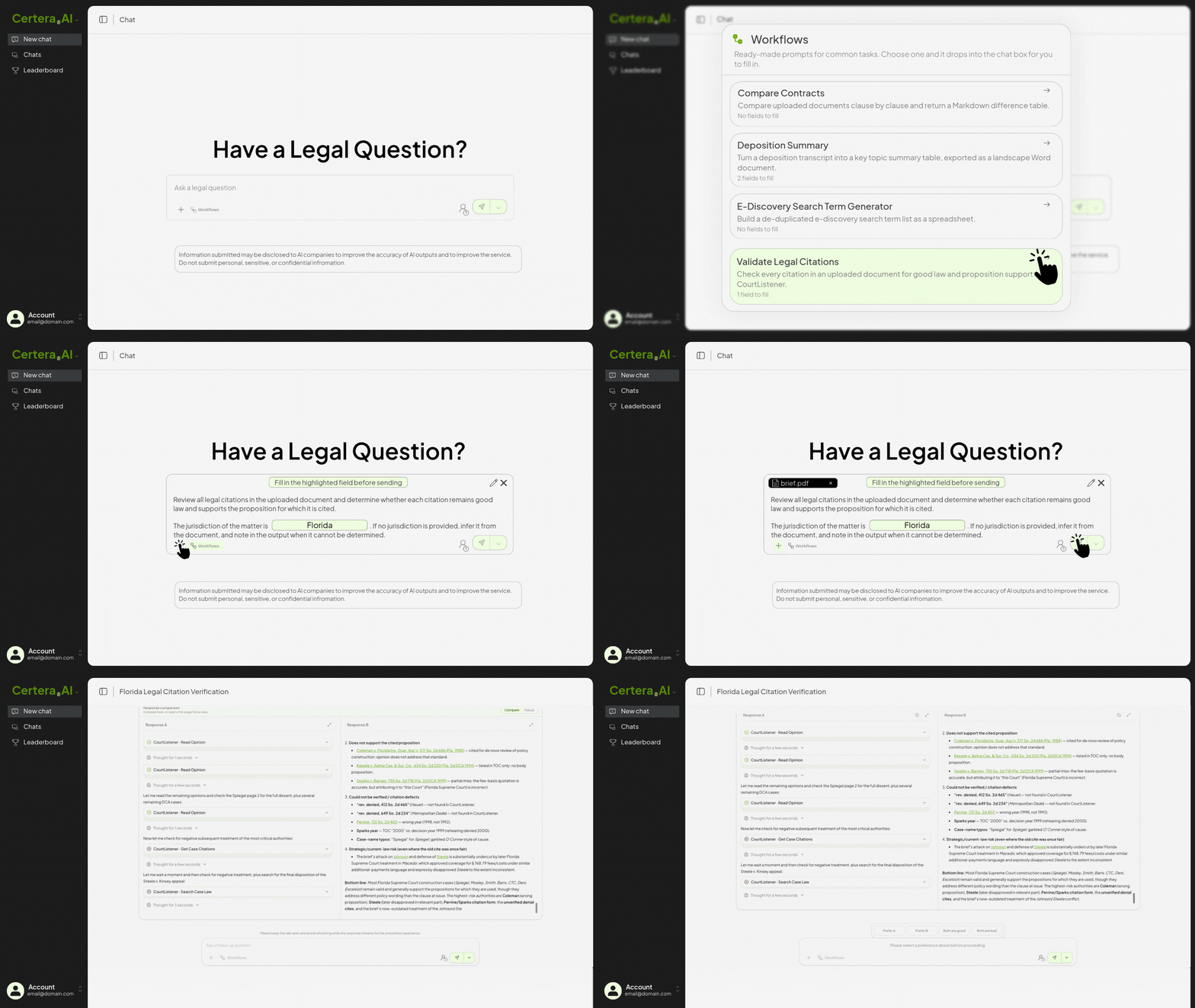
Finally, we also added pre-built legal workflows to Certera (and are adding more weekly). CourtListener is embedded in the Legal Citation Checker Workflow. To access it there, users select the citation checker workflow from the dropdown menu and then upload the pleading or other legal document containing the citations to verify.
The output is structured as a table organized by page number, with columns indicating citation validity, whether it supports the proposition cited, whether the citation is controlling or persuasive authority, followed by a summary of high-risk citations that fail verification.
By integrating CourtListener into Certera, legal professionals can reliably use generative AI for legal research and safeguard against the risk of hallucinated citations. Whether used as a connector, an automatic cite checker, or as part of a pre-built workflow, the CourtListener integration ensures that AI-generated legal research is grounded in verified, authoritative sources. Try it out in a chat now.